Every Fortnite player knows the feeling, you drop into the island, grab your favorite weapon, and suddenly it handles completely different than yesterday. That weird aim inconsistency? Not you. Epic just tweaked the bloom. The sudden shift in where everyone’s landing? New POI changes in the latest update. Patch notes are your decoder ring for understanding exactly what changed, why your strategies stopped working, and how the current meta just evolved overnight.
In 2026, Fortnite continues to evolve at a breakneck pace, with regular updates introducing new weapons, altering the map, and shifting the competitive landscape. Whether you’re grinding for Unreal rank in Ranked Battle Royale or just vibing in Creative, understanding patch notes isn’t optional, it’s essential. This guide breaks down everything you need to know about finding, reading, and adapting to Fortnite updates so you’re never caught off-guard when Epic drops the next game-changing patch.
Table of Contents
ToggleKey Takeaways
- Fortnite patch notes decode every game change—from weapon adjustments to map alterations—and understanding them is essential for adapting strategies and staying competitive in the evolving meta.
- Official patch notes are available on Epic Games’ website, the in-game News tab, and @FortniteStatus on Twitter, with general updates requiring downtime and hotfixes providing sneaky, server-side balance tweaks.
- Major Fortnite updates introduce new weapons, adjust loot pools, alter map locations, and shift competitive balance, requiring players to test changes in Creative mode before applying them to ranked play.
- Competitive players gain an edge by reading patch notes immediately, analyzing damage numbers and spawn rate changes, and watching how top pros adapt their loadouts and rotation strategies to the new meta.
- Staying updated on Fortnite patches through notifications, content creators, and community forums like r/FortniteCompetitive allows you to identify hidden changes and adapt faster than the competition.
- Understanding patch note history—including controversial updates like the Infinity Blade and B.R.U.T.E. Mech—reveals how Epic balances power creep and listens to competitive feedback when changes severely impact gameplay.
What Are Fortnite Patch Notes and Why Do They Matter?
Patch notes are Epic Games’ official documentation of every change made to Fortnite in an update. They list weapon adjustments, bug fixes, new content, performance tweaks, and map alterations, basically, everything that’s different from the previous version.
Why should you care? Because Fortnite’s meta doesn’t stand still. A weapon that dominated yesterday might get nerfed into irrelevance today. Epic might vault your go-to AR or introduce a new mobility item that completely changes rotation strategies. Without reading patch notes, you’re playing blind, wondering why your usual drop spot is suddenly a crater or why that shotgun feels weaker than a pickaxe.
Competitive players treat patch notes like scripture. Knowing exact damage numbers, fire rate changes, or new spawn rates gives you an edge before most players even notice something changed. Even casual players benefit, understanding what’s new helps you experiment with fresh content, avoid wasting time hunting for vaulted items, and adapt your playstyle before you lose matches trying to figure out what feels different.
Patch notes also reveal Epic’s intentions for the season. Heavy nerfs to spray weapons? They’re probably pushing a more aim-focused meta. New mobility items everywhere? Expect faster, more aggressive gameplay. Reading between the lines helps you predict where the game’s heading, not just react to where it’s been.
Where to Find Official Fortnite Patch Notes
Epic Games Website and Newsroom
The most comprehensive source is the official Fortnite news page on Epic Games’ website. Major updates, typically tied to new seasons or significant content drops, get full patch note articles here, complete with detailed breakdowns of every change.
These posts include sections for Battle Royale, Creative, and Save the World (when applicable), so you can skip to what matters for your preferred mode. Epic usually publishes these within hours of an update going live, though sometimes they drop simultaneously with server downtime ending.
The Newsroom also archives older patch notes, making it useful for tracking how weapons or mechanics evolved over multiple updates. If you’re trying to remember when Epic buffed the Combat Shotgun or added a specific mobility item, this is your historical record.
In-Game News Tab and Message of the Day
Fortnite’s in-game News tab (accessible from the main menu) highlights major changes and new content. It’s less detailed than the website but convenient for quick reference without tabbing out mid-session.
The Message of the Day (MOTD) splash screen that appears when you log in often teases upcoming changes or confirms what just went live. While it won’t give you exact damage numbers or spawn rate percentages, it’s enough to alert you that something significant changed, prompting you to dig deeper if needed.
For console and mobile players who don’t want to alt-tab or pull up a browser, the in-game sources work well for surface-level awareness. Just know they’re summaries, not complete patch notes.
Social Media Channels and Community Updates
Epic’s official accounts, @FortniteGame on Twitter/X, FortniteGame on Instagram, and their Facebook page, announce updates as they drop. They typically link to full patch notes on the website, but they’ll also highlight marquee changes in standalone posts.
For smaller hotfixes (which don’t always get full patch note articles), Epic’s Fortnite Status Twitter account (@FortniteStatus) is invaluable. They post brief summaries of what changed in hotfixes, like “Reduced damage for [weapon] from 45 to 42” or “Fixed issue causing players to phase through builds.”
Community-run sources like Dexerto aggregate patch notes, add analysis, and break down how changes affect the meta. They’re especially useful when Epic’s communication is vague or when you want a competitive player’s perspective on balance changes.
How to Read and Understand Fortnite Patch Notes
General Updates vs. Hotfixes
General updates (versioned like v29.10, v29.20, etc.) are major patches that require downtime, often introducing new weapons, map changes, or seasonal content. These come with lengthy patch notes covering dozens of changes across multiple game modes.
Hotfixes are smaller, server-side adjustments that don’t require downloads or downtime. Epic uses these to tweak weapon damage, adjust spawn rates, or fix critical bugs between major updates. Hotfix notes are usually shorter, sometimes just a tweet, but they can dramatically shift the meta overnight. A 5-damage nerf to a popular AR can drop it from S-tier to B-tier without anyone downloading a thing.
The key difference: if your game client version number didn’t change, it’s a hotfix. If you had to download an update, it’s a general patch. Both matter, but hotfixes are sneakier since they’re less visible.
Weapon Balancing and Meta Changes
This is the meat of patch notes for competitive players. Epic lists changes in format like:
- Ranger Assault Rifle: Increased headshot multiplier from 1.75x to 2.0x
- Combat Shotgun: Reduced fire rate from 1.5 to 1.3
- Shockwave Grenade: Decreased max stack size from 6 to 4
These numbers directly impact TTK (time to kill), DPS, and whether a weapon stays meta-viable. A headshot multiplier buff makes a weapon reward aim skill more. Fire rate nerfs reduce spam potential. Stack size changes affect how aggressive you can play with utility items.
Epic also uses terminology like “vaulted” (removed from normal modes), “unvaulted” (brought back), or “adjusted spawn rate” (made more/less common in loot pools). When gaming outlets like Game Rant analyze patches, they focus heavily on these changes because they define how you should be looting and fighting.
Bug Fixes and Performance Improvements
The bottom section of patch notes lists bug fixes, things like “Fixed an issue where players couldn’t open chests” or “Resolved hitching when landing from Launch Pads.”
Don’t skip this section. Sometimes a “bug fix” is actually a significant gameplay change. If Epic fixes a build-phasing exploit or corrects a weapon’s unintended range, that affects your strategies even if it’s not a deliberate balance change.
Performance improvements (“Optimized rendering for PC,” “Reduced memory usage on Xbox Series S”) matter if you’ve been experiencing stutters or frame drops. Knowing Epic addressed your platform’s issues can save you hours of troubleshooting graphics settings.
Common Types of Changes in Fortnite Updates
New Weapons, Items, and Loot Pool Adjustments
Nearly every major update introduces or rotates weapons and items. Epic might add a new SMG variant, unvault a fan-favorite shotgun from Chapter 2, or vault the current season’s most controversial weapon.
Loot pool adjustments are just as critical. If Epic reduces Shotgun spawn rates from 20% to 15%, you’ll notice fewer shotguns in floor loot and chests. This forces players to adapt their early-game strategies, maybe you land at a guaranteed weapon spawn instead of gambling on RNG.
Sometimes Epic introduces Exotic or Mythic weapons tied to specific NPCs or bosses. Patch notes detail where to find them, their unique stats, and whether they’re available in Competitive modes. If you’re grinding Arena, knowing whether that broken Mythic is disabled in Ranked can save you a wasted rotation.
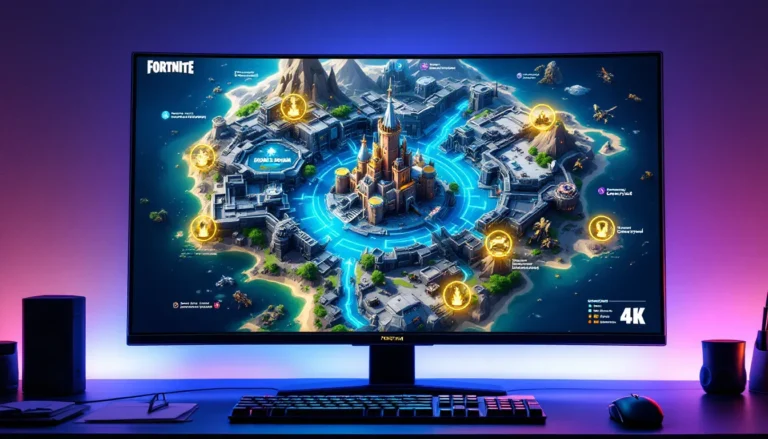
Map Changes and POI Updates
Fortnite’s island evolves constantly. Major updates might add entirely new POIs (Points of Interest), destroy existing ones, or gradually alter landmarks as part of seasonal storytelling.
Patch notes call out these changes explicitly: “New POI: Lavish Lair added northwest of Reckless Railways” or “The Citadel has been partially destroyed: loot distribution adjusted.” If you’ve been landing the same spot for weeks, a map change might mean your loot path is gone, your rotation is blocked, or, better yet, there’s now a Rift or vehicle spawn nearby.
Some updates include environmental tweaks that aren’t fully detailed in patch notes. Trees might grow denser in certain areas, affecting sightlines. Storm timing might shift slightly. Smart players explore the map after updates to spot these nuances before opponents do. For those playing across platforms, understanding how the game performs on different devices, like Fortnite on the Nintendo Switch, can inform how you approach new map sections.
Game Mode Additions and Limited-Time Events
Limited-Time Modes (LTMs) like Team Rumble variants, competitive tournaments, or special event playlists are announced in patch notes. Epic specifies start/end dates, rule changes, and any unique rewards.
LTMs often test new mechanics before they hit core modes. A movement ability debuting in an LTM might become permanent if players love it. Patch notes also cover Creative mode updates, new devices, prefabs, or mechanics for map creators. If you build Creative maps or play custom games, these sections are essential.
Tournament schedules and Competitive rule changes appear here too. Epic might announce that Ranked mode now uses a different loot pool than Pubs, or that Trios Cash Cups are returning. Miss these notes, and you might queue into a tournament with different rules than you expected.
Cosmetics, Battle Pass, and Shop Updates
While not gameplay-critical, patch notes list new cosmetic items, Battle Pass additions, and Shop rotations. Epic details new skins, emotes, pickaxes, and whether any are exclusive to Battle Pass owners.
Collaborations (Marvel, Star Wars, etc.) get highlighted here, along with any related quests or challenges. If a new NPC or quest line ties into that collab, like when characters from various seasons became integral to storylines, patch notes explain how to engage with it.
For players who care about cosmetics and collection, this section previews what’s coming so you can budget V-Bucks or prioritize Battle Pass tier grinding.
How Patch Notes Impact Your Gameplay Strategy
Adapting to Weapon Nerfs and Buffs
When Epic nerfs your main weapon, denial won’t save you. If the Tactical Shotgun’s damage drops from 108 to 96, you can’t one-shot opponents at the same range anymore. Adjust your playstyle: take an extra shot before committing to a push, or switch to a different shotgun entirely.
Buffs open opportunities. If an underused AR gets a fire rate increase, suddenly it’s viable for mid-range pressure. Experiment with buffed weapons in Pubs or Creative before taking them into Ranked, understanding their new breakpoints and recoil patterns gives you an edge while others sleep on them.
Meta shifts ripple outward. A sniper rifle nerf might reduce long-range gatekeeping, making rotations safer. A shotgun buff could push the meta toward aggressive box-fighting. Read patch notes with your playstyle in mind: “How does this change affect my preferred strategies?”
Exploring New Map Locations for Loot
New or updated POIs usually come with fresh loot spawns, NPC locations, or environmental features. Drop into these areas in Team Rumble or zero-build modes first, learn the layout, identify high-density loot spots, and test rotation paths without the pressure of early-game fights.
Patch notes sometimes hint at loot quality. If Epic says “increased chest spawn rates in [POI],” that spot might now rival your old drop location. Conversely, if a POI got destroyed or reduced in size, it’s probably not worth contesting anymore.
Mobility changes affect drop strategies too. New Rift spawns, vehicle additions, or Launch Pad adjustments let you land further from the bus path and still make zone. Update your drop rotation based on what’s available post-patch.
Staying Competitive After Major Meta Shifts
Major updates can invalidate weeks of practice. If Epic vaults the weapon you’ve mastered or nerfs the build technique you rely on, you need a plan.
Step one: Identify what replaced your old strategy. If your favorite SMG got vaulted, which SMG is now in the loot pool? Test it immediately to learn spray patterns and effective ranges.
Step two: Watch how pros adapt. Top-tier players like Bugha or Mero adjust faster than anyone. Their streams and VODs (available on Twitch/YouTube) show you new loadout priorities, rotation adjustments, and fighting techniques before they become common knowledge.
Step three: Experiment in Creative or Realistic maps. Don’t take unproven strategies into Ranked. Use aim trainers or Zone Wars to practice with new weapons and refine your adjusted playstyle under pressure.
Meta shifts separate players who coast on old strategies from those who continuously evolve. The difference between climbing ranks and plateauing? Treating every patch note as a learning opportunity, not an inconvenience.
Tips for Staying Updated on Fortnite Patches
Setting Up Notifications and Alerts
Enable push notifications from Epic’s official Fortnite app (if available on your platform) or follow @FortniteGame and @FortniteStatus on Twitter with tweet notifications turned on. This ensures you see announcements the moment patches drop.
Discord bots like Fortnite News Bot or community servers (detailed below) can push patch note summaries directly to your server. Set up a dedicated channel for updates so you never miss a hotfix or major announcement.
Google Alerts for “Fortnite patch notes” or “Fortnite update” can email you when major gaming sites publish analyses. This is useful if you want aggregated info from multiple sources, not just Epic’s official line.
Following Content Creators and Leakers
Content creators like SypherPK, NICKMERCS, and Clix often stream or post videos breaking down patch notes within hours of release. They explain changes in practical terms (“this nerf means X weapon loses Y matchup”) rather than just reading numbers.
Fortnite leakers (HYPEX, ShiinaBR, iFireMonkey on Twitter) datamine updates before Epic officially announces them. They reveal upcoming weapons, cosmetics, and event details days or weeks early. While leaks aren’t guaranteed, Epic can change or cancel content, they give you advance notice to prepare for meta shifts.
Caveat: Leaks are speculation, not confirmation. Don’t base your strategies on leaks alone: wait for official patch notes to confirm changes before adapting your gameplay.
Joining Fortnite Community Forums and Discord Servers
Reddit’s r/FortniteCompetitive and r/FortniteBR communities dissect patch notes in real-time. Competitive-focused subreddits analyze changes from a high-level perspective, while broader Fortnite subs cover casual and Creative impacts.
Discord servers like Fortnite’s official server, Competitive Fortnite Discord, and region-specific communities host channels dedicated to update discussions. Players share testing results, debate meta implications, and post quick tips for adapting to changes.
These communities also crowdsource “hidden changes”, tweaks Epic didn’t list in official notes, like slight aim assist adjustments or undocumented spawn rate shifts. Sometimes the community finds these before Epic acknowledges them, giving you an even earlier heads-up.
The History and Evolution of Fortnite Patch Notes
Fortnite’s patch note format has evolved dramatically since 2017. Early notes were exhaustive, listing every tiny bug fix, stat tweak, and cosmetic addition. Players loved the transparency, you knew exactly what changed, down to individual pellet damage on shotguns.
Then, in Chapter 2 Season 1 (October 2019), Epic went almost silent. They stopped publishing detailed patch notes for months, forcing players to figure out changes by feel or rely on leakers. The backlash was immediate and loud. Competitive players hated the uncertainty: casual fans missed the hype of reading about new content.
Epic eventually resumed patch notes, but with a different philosophy. Modern notes strike a balance: major changes get full coverage, minor tweaks are summarized, and some adjustments are left for players to discover organically. This approach maintains some mystery while respecting the competitive community’s need for clarity.
The shift reflects Fortnite’s maturity as a game. In its early days, Epic wanted players to experience discovery. As the game grew into a massive esport with millions in prize money, transparency became non-negotiable. Sites like IGN began filling gaps in Epic’s communication, providing detailed breakdowns whenever official notes were sparse.
In 2026, patch notes are more consistent than ever. Epic learned that clarity fuels engagement, players who understand changes stay invested, experiment with new content, and keep the community buzzing between seasons.
Most Controversial Updates in Fortnite History
Some patches spark outrage that echoes for seasons. These are the updates that divided the community, broke the meta, or just made everyone question Epic’s decision-making.
The Infinity Blade (v7.01, December 2018): Epic added a melee weapon that granted 400 HP, massive movement speed, and devastating attack damage. It was hilariously broken. Competitive players revolted when it appeared in tournament qualifiers. Epic vaulted it within days, one of the fastest rollbacks ever.
The B.R.U.T.E. Mech (v10.00, Season X, August 2019): A two-player vehicle with rockets that could wipe squads instantly. Casual players found it fun: competitive players called it game-ruining. Epic defended the Mech for weeks, citing stats showing “average players” won more often with it. Eventually, they nerfed it heavily, but the damage to competitive integrity lingered.
Turbo Building Nerf (v10.20, August 2019): Epic slowed the build placement rate from 0.05 seconds to 0.15 seconds, fundamentally altering Fortnite’s core defensive mechanic. The community exploded. Within 24 hours, Epic reverted the change, a rare full backtrack.
The Pump Shotgun Vault (v9.00, May 2019): Epic removed the game’s most iconic weapon. Players adapted, but the uproar was massive. The Pump eventually returned in later seasons, proving Epic listens when backlash is universal.
Combat Shotgun Meta (v9.00–v10.00, 2019): When the Pump left, the Combat Shotgun dominated with absurd range and fire rate. Fights became spray-fests. Epic nerfed it multiple times before finally vaulting it.
These updates taught Epic (and the community) critical lessons: power creep kills balance, listening to competitive feedback matters, and some changes need immediate rollback, not weeks of “monitoring the data.” Understanding this history helps players predict when Epic might revert controversial changes versus commit to them long-term.
Conclusion
Fortnite’s constant evolution is both its greatest strength and its biggest challenge for players. Patch notes are the bridge between confusion and mastery, they tell you what changed, why your strategies need adjusting, and where the meta’s heading next. Whether you’re a competitive grinder tracking every damage tweak or a casual player who just wants to know what’s new, staying on top of updates is non-negotiable in 2026.
The players who consistently perform at the highest levels aren’t just mechanically skilled, they’re informed. They read patch notes, test changes immediately, and adapt faster than the competition. They know where to find official info, how to interpret balance changes, and when to trust community analysis.
Don’t let patch notes intimidate you with walls of technical jargon. Break them into sections: what affects your drop spot, your loadout, and your rotation. Focus on those first, then expand to broader meta implications. With practice, reading patch notes becomes second nature, a quick five-minute check that can save you hours of frustrated experimentation.
Fortnite’s never standing still, and neither should your understanding of it. Every patch is a chance to gain an edge, discover new strategies, and remind yourself why this game’s stayed on top for years. Now get out there, read those notes, and turn knowledge into Victory Royales.